PSP Bridge
A downloadable tool for Android
PSP Bridge
Turn your PSP into a wireless controller for Android devices over WiFi.
PSP Bridge is a PSP Homebrew + Android input bridge that allows you to use your PSP as a wireless controller for Android emulators and games with very low latency.
This project focuses on simplicity, fast setup and practical gameplay support without requiring root access on Android.
Features
- Wireless PSP controller over WiFi
- Very low latency input streaming
- Analog stick support
- Multiple trigger modes:
- L1 / R1
- L2 / R2
- L3 / R3
- Optional right-stick emulation mode using IJKL mapping
- Voice notifications for mode switching
- Easy-to-use interface
- Automatic reconnect support
- No root required on Android
Controls & Combos
Trigger Modes
Hold SELECT for about half a second to switch between:
- L1 / R1 mode
- L2 / R2 mode
- L3 / R3 mode
You will hear voice notifications when modes change.
Enable / Disable Left Trigger
Press:
DPAD DOWN + SELECT
This toggles the left trigger behavior while playing.
Right Analog Emulation
The face buttons can emulate a right analog stick when needed:
- Triangle
- Square
- Cross
- Circle
These are mapped internally as:
- I
- J
- K
- L
This is especially useful for emulators or games that support custom key mapping.
Current Limitations
- Native Android gamepad axis support is still experimental
- Some mobile games may require manual mapping
- Best compatibility currently comes from emulators and configurable games
Project Status
Version 1.0
This release focuses on stability, usability and low-latency communication.
Developed Independently
PSP Bridge is an independent homebrew project developed from Cuba.
Thank you for trying the project and supporting indie development.
Support
If you enjoy the project and want to support future updates, optional donations are appreciated.
Contact:
WhatsApp: +53 58530163
Download
Install instructions
Installation
Android
1. Copy the APK to your Android device
2. Install the APK
---
PSP
1. Copy the "PSP Bridge" folder to:
/PSP/GAME/
on your Memory Stick.
---
Setup
1. Connect both devices to the same WiFi network
IMPORTANT:
Your WiFi network must support 2.4GHz bands.
The PSP cannot detect many 5GHz-only networks.
If the PSP cannot find your network, check your router settings.
---
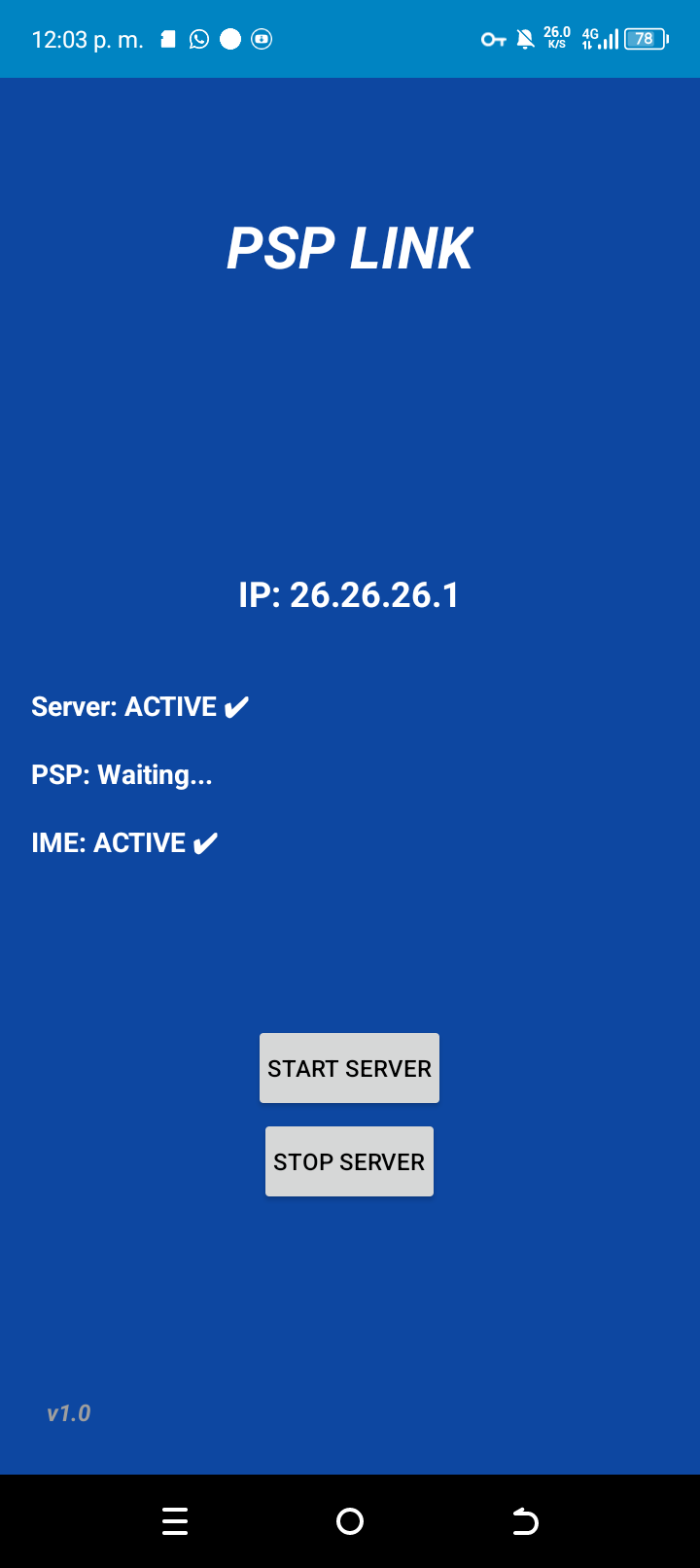
2. Open the Android server app
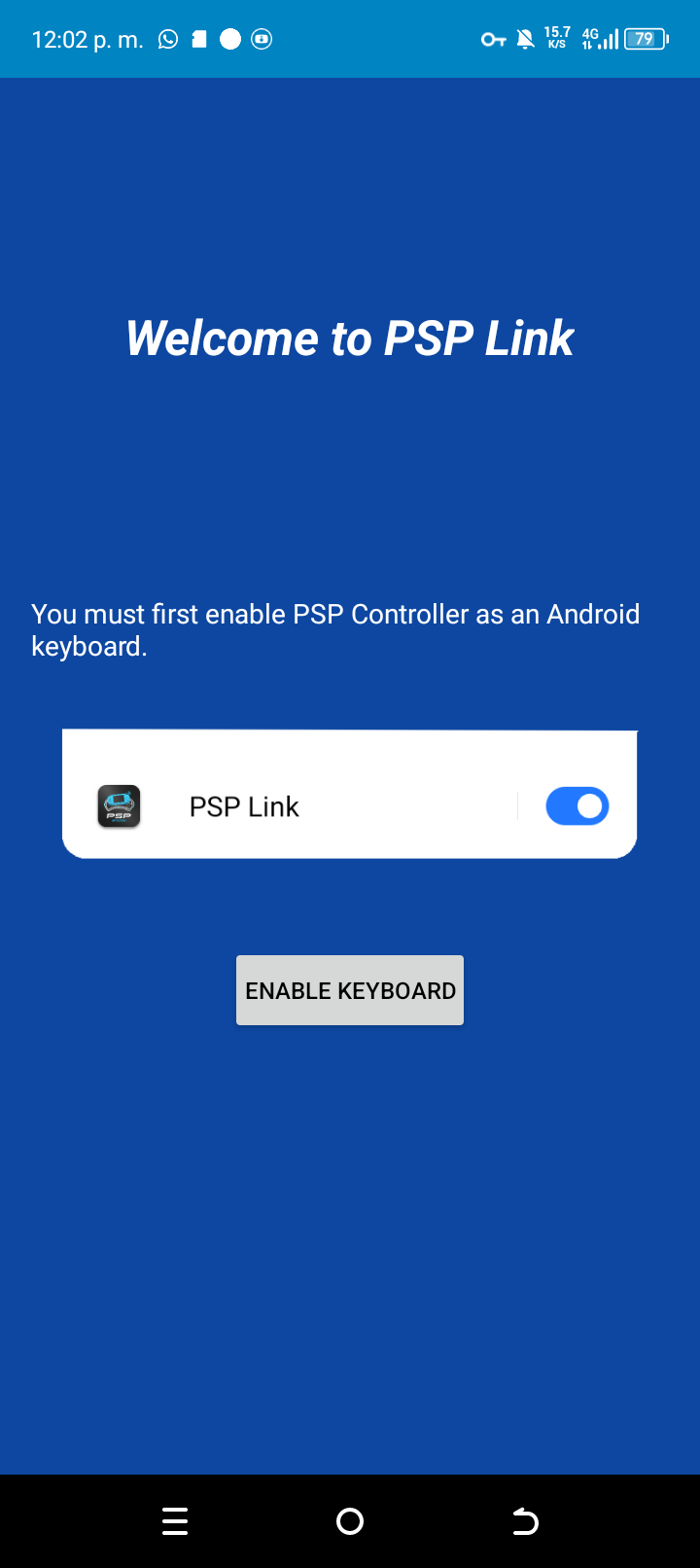
3. Enable PSP Bridge as keyboard/input method
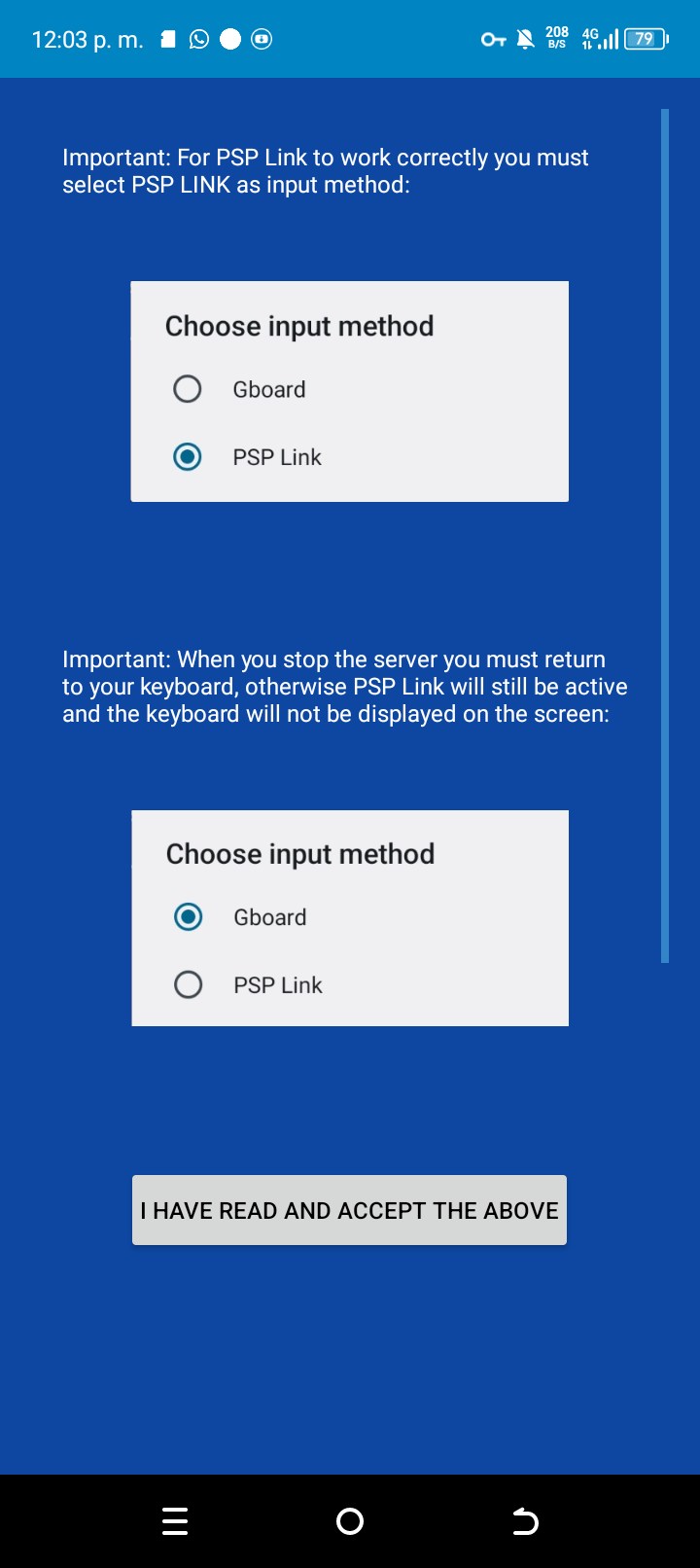
4. Read and accept the important notice
5. Start the server
6. Select PSP Bridge as the active input method
7. Open the PSP homebrew
8. Select your WiFi network on the PSP
9. Enter the IP address shown on the Android screen
10. The connection will be established automatically
11. A message will appear confirming everything is ready
---
Usage
Your PSP now works as a wireless controller for Android games and emulators.
If a button does not work correctly:
- Open your emulator/game controller settings
- Remap the controls manually to your preference
Leave a comment
Log in with itch.io to leave a comment.